The quick answer
A drawing or signature becomes a useful SVG when the paper background is clean and strokes are continuous. Trace with few colors and inspect thin lines. Outline tracing produces filled shapes, not necessarily a single centerline.
Signature to SVG Converter: what matters
A practical vector starts with a clear source and a deliberate choice of detail. Compare the paths with the original rather than judging quality from a filename or a smooth preview alone.
For this workflow, keep an untouched source file, test a small palette, and inspect the downloaded SVG in its final application. Local tracing does not create editable fonts or recover missing detail.
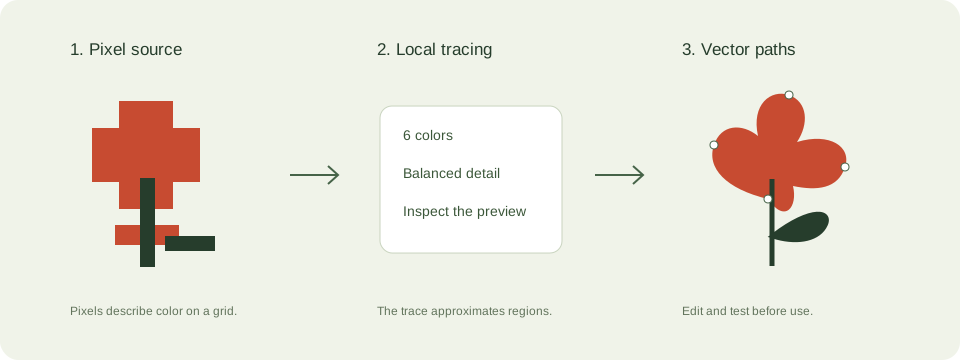
A practical drawings and signatures workflow
- Scan or photograph the page straight on in even light. Crop out page edges and improve contrast if the paper looks gray.
- Use the silhouette preset. Enable white removal only when the white region is paper background.
- Inspect dots, crossings, pen lifts, and the narrowest strokes. Improve source resolution rather than expecting tracing to reconnect broken lines.
- Export at the final intended size. Use a dedicated centerline workflow for a pen plotter if you need one stroke per line.
Check these details before you export
- Faint pencil marks may disappear when small paths are filtered as noise.
- A signature is personal information. Its pixels are processed locally and are not saved to a server by this tool.
- Filled outline tracing and centerline tracing are different operations.
Where this workflow stops
This tool does not perform OCR, handwriting recognition, signature verification, or centerline tracing.
For a first local trace, use the JPEG to SVG converter. If you are working with transparent artwork, read the PNG transparency guide. Keep an original file so you can compare your changes.
Reference and further reading
Inkscape: bitmap tracing provides background for this workflow. Platform requirements and editor features can change; check the current instructions for your destination.
Written for JPEGtoSVG by Shahab Uddin. These guides describe practical checks and limitations; they do not promise lossless tracing or automatic machine-ready output.